I got a Pertelian X2040 USB LCD display for my birthday in 2007 and immediately wrote a Python library to talk to it. The Pertelian is a 4-line, 20-character LCD that connects over USB serial — the kind of hardware that’s irresistible to anyone who writes Python and has a serial port.
PyPert
The first version was simple: open the serial port, send the initialization bytes, write characters one at a time with a 1ms delay between each. The protocol is straightforward — command bytes prefixed with 0xfe for display control (clear, cursor position, backlight), and raw ASCII for text.
import serial
import struct
import time

class Pertelian(object):
  def __init__(self, tty='/dev/ttyUSB0'):
    self.ser = serial.Serial(tty)
    self.ser.open()

  def __del__(self):
    self.ser.close()

  def Setup(self):
    bytes = 0xfe, 0x38, 0xfe, 0x06, 0xfe, 0x10, 0xfe, 0x0c, 0xfe, 0x01
    b = struct.pack('B' * len(bytes), *bytes)
    self.ser.write(b)
    time.sleep(0.5)

  def Message(self, msg):
    bytes = struct.pack('c' * len(msg), *msg)
    for char in bytes:
      self.ser.write(char)
      time.sleep(0.001)
I published it as PyPert on Google Code — a small library, but it was one of my first open source releases.
Xbox Live Friends Display
The first real use was a script that scraped Xbox Live and displayed which friends were online. The LCD sat next to my desk and showed a scrolling list of gamertags and what they were playing.
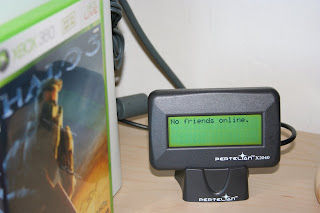
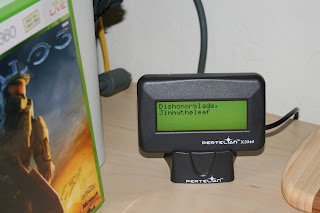
A 4-line LCD showing Xbox Live status feels quaint now, but in 2007, push notifications didn’t exist and checking your friends list meant turning on the console. Having it just… there, updating in the background, felt like the future.